
What this is for
Debian 12 ("Bookworm") is the lightest-weight production host for AcelleMail. Same Linux family tree as Ubuntu (Ubuntu is a Debian derivative), fewer pre-installed surprises, longer security support cycle (Debian 12 LTS through 2028; Freexian ELTS through 2033).
For AcelleMail specifically there are three meaningful differences from the Ubuntu 24.04 install guide:
- PHP comes from sury.org, not from Ondrej's PPA (Debian doesn't have PPAs — sury.org is the equivalent).
- MariaDB is the practical default — Debian dropped
mysql-serverfrom main repos in Bookworm. MariaDB 11.4 LTS is wire-compatible and what we'll use. - No
ufwout of the box — install it explicitly, or rely on the hosting provider's edge firewall (DigitalOcean Cloud Firewall, Hetzner Cloud Firewall, AWS Security Group, etc.).
Everything else is identical. We'll cover only the deltas; for the unchanged steps, follow the canonical.
👉 Canonical Ubuntu 24.04 guide: Install AcelleMail on Ubuntu 24.04 LTS
Step 0 — Pre-flight
Identical to the Ubuntu pre-flight: a 2 vCPU / 4 GB / 50 GB Debian 12 droplet with public IPv4, a mail.example.com A record, a sudo user, your acellemail-latest.zip from CodeCanyon + purchase code.
DigitalOcean, Hetzner, Linode, and Vultr all offer Debian 12 in their image dropdowns. AWS EC2 has an official Debian 12 AMI in every region.
Step 1 — Base packages
sudo apt update && sudo apt upgrade -y
sudo apt install -y curl wget unzip ca-certificates apt-transport-https \
    lsb-release gnupg2 software-properties-common
apt-transport-https is a Debian carryover that's no longer strictly needed (modern apt handles HTTPS natively) but is harmless and explicit. software-properties-common brings add-apt-repository — useful even though we won't use it for the sury repo below.
Step 2 — PHP 8.3 from sury.org (the key diff)
Debian 12's main repo carries PHP 8.2 (AcelleMail's installer requires PHP 8.3 per the compat check). For the matching PHP 8.3 we use the sury.org repo, which is the de-facto upstream for Debian/Ubuntu PHP packages and what the Acelle support team tests against:
curl -fsSL https://packages.sury.org/php/apt.gpg | \
    sudo gpg --dearmor -o /usr/share/keyrings/sury-php.gpg
echo "deb [signed-by=/usr/share/keyrings/sury-php.gpg] https://packages.sury.org/php/ \
    $(lsb_release -sc) main" | sudo tee /etc/apt/sources.list.d/sury-php.list
sudo apt update
sudo apt install -y php8.3 php8.3-fpm php8.3-mysql php8.3-mbstring \
    php8.3-xml php8.3-curl php8.3-zip php8.3-gd php8.3-intl \
    php8.3-imap php8.3-gmp php8.3-sqlite3 php8.3-mailparse php8.3-bcmath \
    php8.3-redis
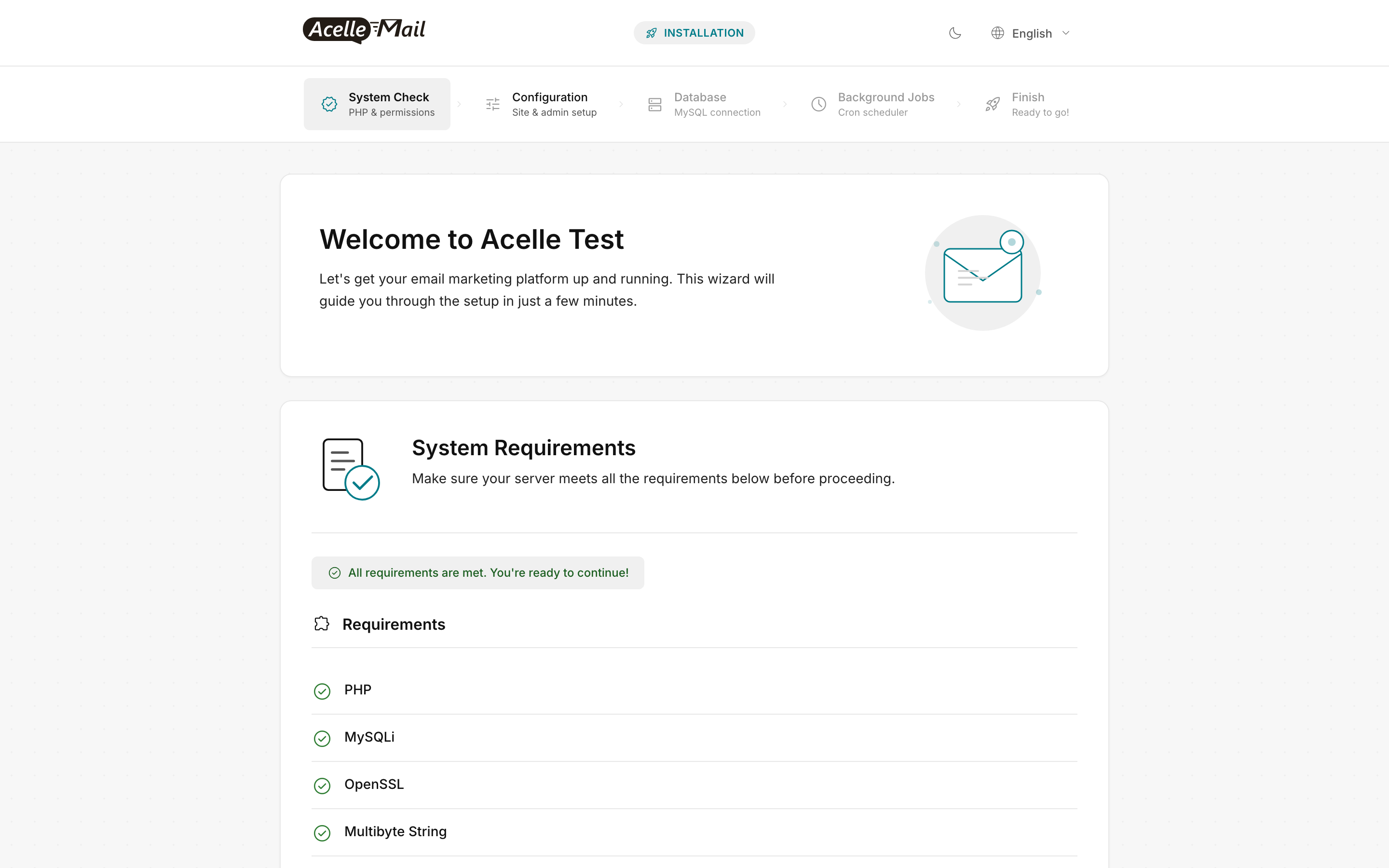
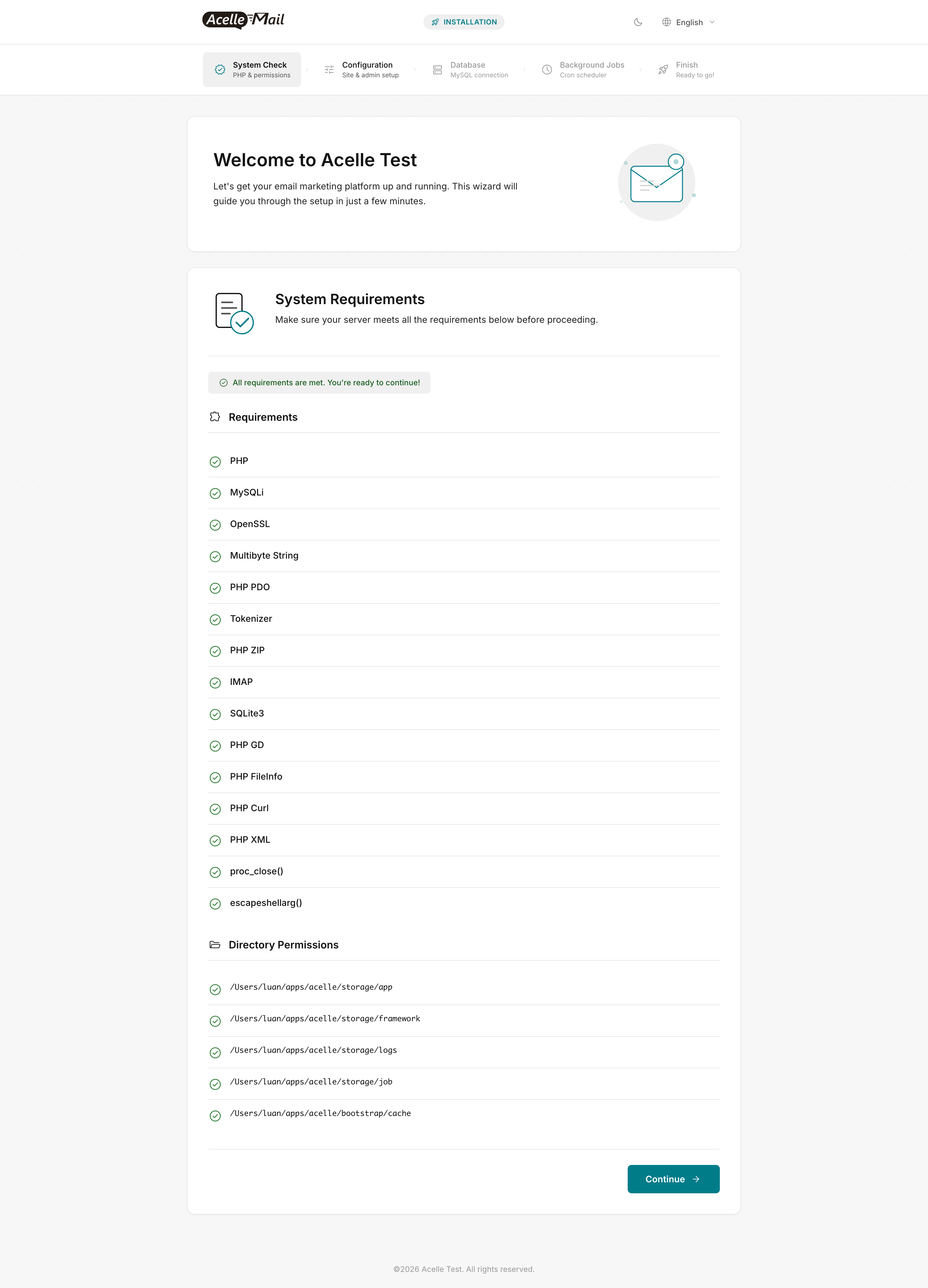
Same Wave 43 callout: php8.3-imap and php8.3-sqlite3 are both wizard-blocking and commonly forgotten — the install wizard's System Check will hard-fail without them.
Apply the AcelleMail-specific php.ini knobs (same numbers as Ubuntu — they're about workload, not OS):
sudo sed -i 's/^memory_limit = .*/memory_limit = 512M/'              /etc/php/8.3/fpm/php.ini
sudo sed -i 's/^upload_max_filesize = .*/upload_max_filesize = 300M/' /etc/php/8.3/fpm/php.ini
sudo sed -i 's/^post_max_size = .*/post_max_size = 300M/'             /etc/php/8.3/fpm/php.ini
sudo sed -i 's/^max_execution_time = .*/max_execution_time = 300/'    /etc/php/8.3/fpm/php.ini
sudo sed -i 's/^memory_limit = .*/memory_limit = 512M/'              /etc/php/8.3/cli/php.ini
sudo systemctl enable --now php8.3-fpm
Step 3 — MariaDB 11.4 LTS (Debian's MySQL replacement)
MySQL Server 8.0 is no longer in Debian's main repos as of Bookworm — Debian preferred MariaDB. MariaDB 11.4 LTS (released May 2024, supported through May 2029) is wire-compatible with MySQL 8 for everything AcelleMail does. Debian Bookworm's main repo ships MariaDB 10.11 (also LTS — supported through Feb 2028, perfectly fine); use the MariaDB repo if you want 11.4 specifically:
# Option A — Debian Bookworm main (MariaDB 10.11 LTS, simpler)
sudo apt install -y mariadb-server mariadb-client

# Option B — MariaDB official repo (11.4 LTS, newer features)
curl -LsS https://r.mariadb.com/downloads/mariadb_repo_setup | sudo bash -s -- --mariadb-server-version=mariadb-11.4
sudo apt update
sudo apt install -y mariadb-server mariadb-client
Then:
sudo mysql_secure_installation
# Answer: no validation policy, remove anonymous users, no remote root,
#         drop test DB, reload privileges.

DB_PASSWORD="$(openssl rand -base64 24)"
sudo mysql <<SQL
CREATE DATABASE acellemail
  CHARACTER SET utf8mb4 COLLATE utf8mb4_unicode_ci;
CREATE USER 'acellemail'@'localhost' IDENTIFIED BY '${DB_PASSWORD}';
GRANT ALL PRIVILEGES ON acellemail.* TO 'acellemail'@'localhost';
FLUSH PRIVILEGES;
SQL
echo "Save this password — paste it in the install wizard's Database step:"
echo "${DB_PASSWORD}"
utf8mb4 is non-negotiable (same as Ubuntu) — Vietnamese, Chinese, and emoji subject lines crash a 3-byte utf8 charset.
If your organization mandates MySQL 8 specifically (not MariaDB), Oracle's MySQL APT repo for Debian works — see Oracle's official Debian instructions. AcelleMail's MySQL adapter speaks both fine.
Step 4 — Redis 7 (recommended)
Bookworm ships Redis 7.0 in the main repo, no third-party repo needed:
sudo apt install -y redis-server
sudo sed -i 's/^supervised .*/supervised systemd/' /etc/redis/redis.conf
sudo systemctl restart redis-server && sudo systemctl enable redis-server
See Redis for Queue Processing for tuning.
Step 5 — Nginx + firewall
sudo apt install -y nginx
sudo systemctl enable --now nginx
Firewall — pick one:
- Cloud edge (recommended for hosted droplets) — set the firewall rules at the provider (DigitalOcean Cloud Firewall, Hetzner Cloud Firewall, AWS Security Group). No host-level firewall needed.
ufw—sudo apt install -y ufw && sudo ufw allow OpenSSH && sudo ufw allow 'Nginx Full' && sudo ufw enablenftables(Debian 12 default if you prefer) — Bookworm replaced legacyiptableswithnftables. Usesudo apt install -y nftablesand write a minimal ruleset, or rely on the cloud-edge filter.
The nginx vhost is byte-for-byte identical to Ubuntu's — drop it at /etc/nginx/sites-available/acellemail:
server {
    listen 80;
    server_name mail.example.com;
    root /var/www/acellemail/public;
    index index.php index.html;
    client_max_body_size 300M;

    location / { try_files $uri $uri/ /index.php?$query_string; }
    location ~ \.php$ {
        include snippets/fastcgi-php.conf;
        fastcgi_pass unix:/run/php/php8.3-fpm.sock;
        fastcgi_param SCRIPT_FILENAME $document_root$fastcgi_script_name;
        fastcgi_read_timeout 300;
    }
    location ~ /\.(?!well-known).* { deny all; }
}
sudo ln -sf /etc/nginx/sites-available/acellemail /etc/nginx/sites-enabled/
sudo rm -f /etc/nginx/sites-enabled/default
sudo nginx -t && sudo systemctl reload nginx
Bookworm ships nginx 1.22 (Ubuntu 24.04 ships 1.24). AcelleMail uses no 1.24-only features, so this is fine.
Steps 6 through 10 — follow the Ubuntu canonical
The remaining steps are byte-for-byte identical to Ubuntu:
- Step 6 — Drop in the AcelleMail bundle: Ubuntu Step 6
- Step 7 — TLS with certbot: Ubuntu Step 7
- Step 8 — Supervisor for the queue: Ubuntu Step 8
- Step 9 — Cron: Ubuntu Step 9
- Step 10 — Web installer: Ubuntu Step 10
The www-data user, path layout (/var/www, /etc/nginx/sites-*, /etc/php/8.3/fpm/), and command names are all identical — Ubuntu inherits all of these from Debian.
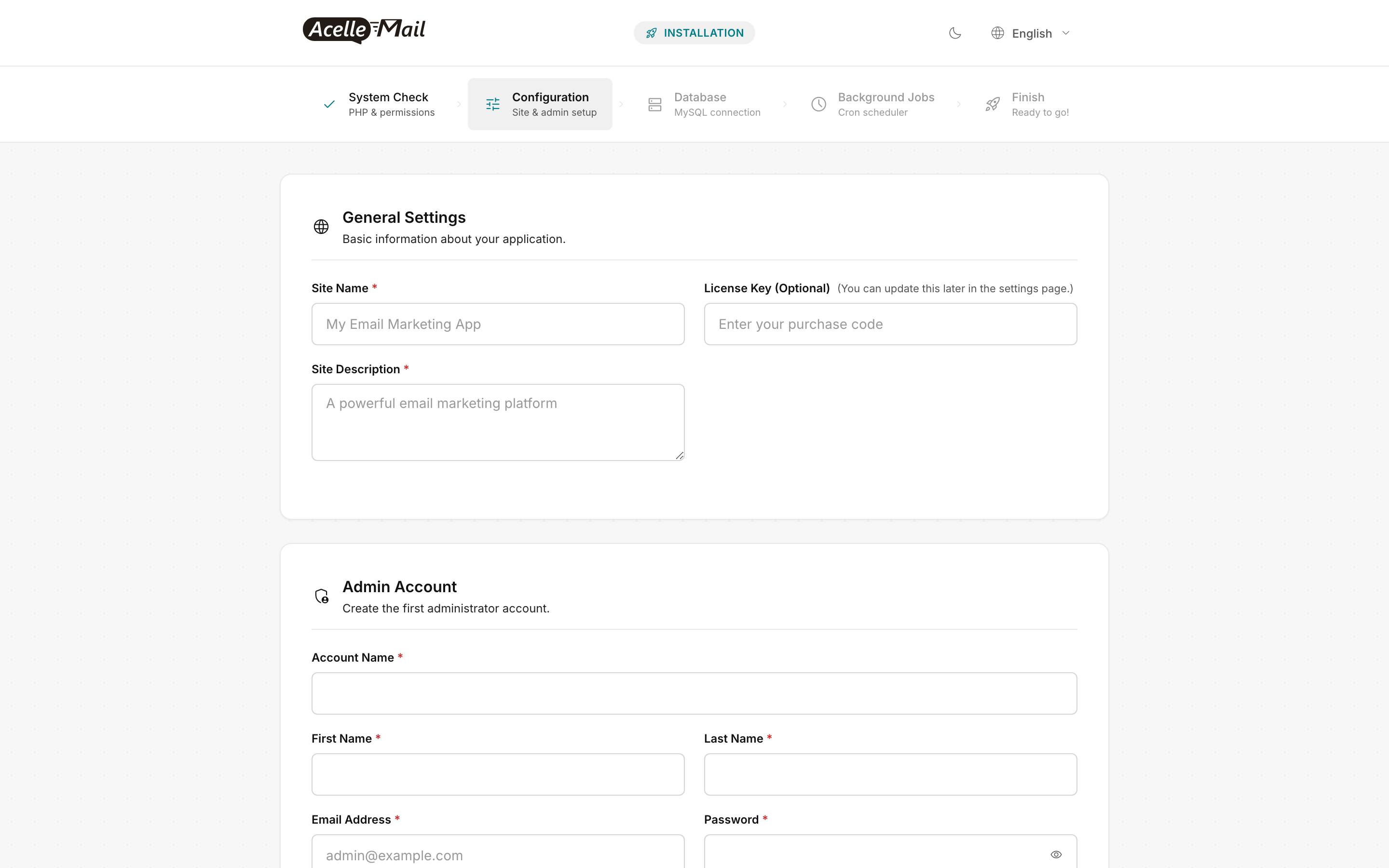
The web-installer wizard is the same regardless of host OS. Reference screenshots:
Debian-specific gotchas
apt vs apt-get
Both work. apt is friendlier (progress bars, sane defaults); apt-get is the stable scriptable interface. Mixing them is harmless; use apt-get if you're writing a provisioner.
nftables is the Debian 12 default, not iptables
Bookworm replaced legacy iptables with nftables as the default packet-filter backend. The iptables command still works via a compatibility shim, but new rules should be written in nftables syntax. For most AcelleMail installs you'll skip both and use the hosting provider's edge firewall.
Postfix may be pre-installed on some images
Bookworm itself doesn't install Postfix, but some hosting providers' "Marketplace" Debian images do. AcelleMail talks SMTP outbound via configured sending servers (SES, Mailgun, etc.) and doesn't need a local MTA. If Postfix is running on port 25, disable it:
sudo systemctl disable --now postfix
sudo ss -lntp | grep ':25 ' || echo "port 25 clear"
apparmor permissions
Debian doesn't ship a custom AppArmor profile for AcelleMail. The default nginx + php-fpm profiles are permissive enough — no action needed.
Common issues
| What you see | Likely cause | Fix |
|---|---|---|
apt install php8.3 says "Unable to locate package" |
sury.org repo not added or apt update not run |
Re-run Step 2 from the curl ... sury-php.gpg line down |
Wizard System Check red on IMAP |
php8.3-imap missing |
sudo apt install -y php8.3-imap && sudo systemctl restart php8.3-fpm, refresh |
Wizard System Check red on SQLite3 |
php8.3-sqlite3 missing |
sudo apt install -y php8.3-sqlite3 && sudo systemctl restart php8.3-fpm, refresh |
mysql_secure_installation says command not found |
MariaDB not yet installed | Re-run sudo apt install -y mariadb-server (or check for the MariaDB repo if you went with Option B) |
certbot --nginx -d mail.example.com fails "Connection refused" |
nginx not running, or port 80 not open at the cloud edge | sudo systemctl status nginx; verify firewall rules at the provider |
Login at /admin returns 502 |
php-fpm not running, or wrong socket path | sudo systemctl status php8.3-fpm; check unix:/run/php/php8.3-fpm.sock in vhost matches pm.socket in /etc/php/8.3/fpm/pool.d/www.conf (default is /run/php/php8.3-fpm.sock) |
crontab -u www-data -e says "no crontab for www-data" |
First-time crontab, normal | Just save the file with the cron line — Debian creates the crontab on first save |
FAQ
Will Debian 11 (Bullseye) work? Bullseye's PHP is 7.4 — way below AcelleMail's minimum (PHP 8.3). You'd need sury.org for 8.3 and be running on an LTS that ends mid-2026. Just install Bookworm — same effort.
Can I use MySQL 8 instead of MariaDB? Yes, via Oracle's MySQL APT repo for Debian. Connection settings are identical. Verify utf8mb4 is the default charset before importing — some MySQL 8 installs default to utf8mb3.
Why no AppArmor profile in this guide? AcelleMail doesn't ship a custom profile; the default nginx + php-fpm profiles are permissive enough. If your org requires confinement, write a profile against the standard policies and test against /admin.
LXC/LXD vs full VM? Both work. AcelleMail has no kernel dependencies, so an unprivileged LXC container on a Debian/Proxmox host gives you ~95% of bare-metal efficiency with snapshot-based rollback. One caveat: certbot's --nginx plugin needs the container reachable on port 80 from the public internet; otherwise use the DNS challenge (certbot --dns-cloudflare or your DNS provider's plugin).
Cockpit for browser-based admin? Debian's cockpit package gives a browser-based system console at https://server:9090 — useful for sysadmin team members who don't live in SSH. Install with sudo apt install -y cockpit, restrict port 9090 to a VPN-only interface. Not a substitute for the AcelleMail admin UI; it's a sysadmin overlay.
Backports — when do I actually need them? The Debian Backports repo carries newer base packages (kernel, nginx, etc.) backported from the next Debian release. For AcelleMail you almost never need it — Bookworm's defaults are recent enough. Exception: critical CVE patches that hit Backports before Stable — sudo apt install -y -t bookworm-backports nginx.
Related articles
- Install AcelleMail on Ubuntu 24.04 LTS — the canonical install (this guide diffs against it)
- Install AcelleMail on Rocky Linux 9 — the RHEL-family alternative
- Install AcelleMail on a DigitalOcean Droplet — DigitalOcean-specific bits (droplet sizing, PTR, Cloud Firewall)
- Install AcelleMail on AWS EC2 — AWS-specific alternative
- Server Requirements and Hosting Options — sizing reference
- Post-Install Hardening Checklist — the security follow-up
- Setting Up Queue Workers and Cron Jobs — production tuning
- Redis for Queue Processing — Redis tuning for AcelleMail's queue
- Configuring Amazon SES with AcelleMail — first sending server after install
- Complete DNS Setup for AcelleMail — SPF/DKIM/DMARC for the sending domain
5 bình luận