What this is for#
Rocky Linux 9 is the community-maintained binary-compatible rebuild of RHEL 9 — the right choice when your operations policy requires a Red Hat-family OS without paying for a RHEL subscription. CentOS Stream 9 and AlmaLinux 9 work identically — everything in this guide applies to all three with no command changes.
The four big differences from the Ubuntu 24.04 install guide:
dnf instead of apt (different package manager, same package names mostly)firewalld instead of ufw (zone-based stateful firewall, RHEL default)- SELinux enforcing by default — the big one. AcelleMail needs custom contexts on
storage/ and bootstrap/cache/, plus the httpd_can_network_connect boolean. Skip this step and SMTP / license calls fail silently.
- PHP from the Remi repo (not sury.org / Ondrej)
Other big things stay the same: the workload sizing tier, nginx vhost shape, certbot flow, supervisor config, and the wizard.
👉 Canonical Ubuntu 24.04 guide: Install AcelleMail on Ubuntu 24.04 LTS (for the conceptual shape — adapt commands per below)
Rocky 9 is supported through May 2032 — long enough to outlive a major AcelleMail version cycle.
Step 0 — Pre-flight#
Same as the Ubuntu pre-flight. 2 vCPU / 4 GB / 50 GB Rocky 9 droplet, DNS A record on mail.example.com, sudo user, acellemail-latest.zip + CodeCanyon code ready.
Step 1 — Base packages + EPEL#
sudo dnf -y update
sudo dnf -y install epel-release
sudo dnf -y install curl wget unzip ca-certificates dnf-utils \
    policycoreutils-python-utils tar
policycoreutils-python-utils brings semanage, which you'll need in Step 6 to grant SELinux permissions. Without it, you can't add SELinux file contexts.
Step 2 — PHP 8.3 from Remi (the key diff)#
The Remi repo is the canonical PHP source on RHEL-family distributions. Rocky 9's default PHP module stream is 8.0 (too old for AcelleMail); reset and install 8.3 from Remi:
sudo dnf -y install https://rpms.remirepo.net/enterprise/remi-release-9.rpm
sudo dnf -y module reset php
sudo dnf -y module install php:remi-8.3
sudo dnf -y install php-fpm php-cli php-mysqlnd php-mbstring php-xml \
    php-curl php-zip php-gd php-intl php-imap php-gmp php-mailparse \
    php-bcmath php-redis php-pdo
Same Wave 43 callout: php-imap is mandatory (FBL bounce handling) and php-pdo brings the SQLite driver Acelle's internal data store needs. The wizard's System Check will hard-fail without them.
Apply AcelleMail's php.ini knobs. Note: RHEL has only one php.ini (vs Ubuntu's separate fpm/ + cli/):
sudo sed -i 's/^memory_limit = .*/memory_limit = 512M/'              /etc/php.ini
sudo sed -i 's/^upload_max_filesize = .*/upload_max_filesize = 300M/' /etc/php.ini
sudo sed -i 's/^post_max_size = .*/post_max_size = 300M/'             /etc/php.ini
sudo sed -i 's/^max_execution_time = .*/max_execution_time = 300/'    /etc/php.ini
Set the FPM pool to run as nginx (default is apache which doesn't exist on a Rocky 9 install without httpd):
sudo sed -i 's/^user = apache/user = nginx/'   /etc/php-fpm.d/www.conf
sudo sed -i 's/^group = apache/group = nginx/' /etc/php-fpm.d/www.conf
sudo sed -i 's|^listen.owner = apache|listen.owner = nginx|' /etc/php-fpm.d/www.conf
sudo sed -i 's|^listen.group = apache|listen.group = nginx|' /etc/php-fpm.d/www.conf
sudo systemctl enable --now php-fpm
Step 3 — MariaDB 11.4 LTS#
Rocky 9's appstream ships MariaDB 10.5; for AcelleMail use MariaDB 11.4 LTS (supported through May 2029) from the upstream MariaDB repo:
curl -LsS https://r.mariadb.com/downloads/mariadb_repo_setup | \
    sudo bash -s -- --mariadb-server-version=mariadb-11.4
sudo dnf -y install MariaDB-server MariaDB-client
sudo systemctl enable --now mariadb
sudo mysql_secure_installation
Answer prompts the same way as Ubuntu (no validation, remove anonymous, no remote root, drop test DB, reload). Then create the database + user:
DB_PASSWORD="$(openssl rand -base64 24)"
sudo mysql <<SQL
CREATE DATABASE acellemail
  CHARACTER SET utf8mb4 COLLATE utf8mb4_unicode_ci;
CREATE USER 'acellemail'@'localhost' IDENTIFIED BY '${DB_PASSWORD}';
GRANT ALL PRIVILEGES ON acellemail.* TO 'acellemail'@'localhost';
FLUSH PRIVILEGES;
SQL
echo "Save this password — paste it in the install wizard's Database step:"
echo "${DB_PASSWORD}"
Step 4 — Redis 7#
Use Remi's Redis module (Rocky 9 appstream redis is 6.2; you want 7.x):
sudo dnf module reset redis
sudo dnf module install redis:remi-7.2 -y
sudo systemctl enable --now redis
Step 5 — Nginx + firewalld#
sudo dnf -y install nginx
sudo systemctl enable --now nginx
sudo firewall-cmd --permanent --add-service=http
sudo firewall-cmd --permanent --add-service=https
sudo firewall-cmd --reload
SSH is in the default public zone — already open. Don't run --remove-service=ssh unless you know exactly what you're doing.
Vhost at /etc/nginx/conf.d/acellemail.conf (RHEL uses conf.d/, not sites-enabled/):
server {
    listen 80;
    server_name mail.example.com;
    root /var/www/acellemail/public;
    index index.php index.html;
    client_max_body_size 300M;

    location / { try_files $uri $uri/ /index.php?$query_string; }
    location ~ \.php$ {
        fastcgi_pass unix:/run/php-fpm/www.sock;
        fastcgi_index index.php;
        fastcgi_param SCRIPT_FILENAME $document_root$fastcgi_script_name;
        include fastcgi_params;
        fastcgi_read_timeout 300;
    }
    location ~ /\.(?!well-known).* { deny all; }
}
sudo nginx -t && sudo systemctl reload nginx
Note the socket path: unix:/run/php-fpm/www.sock on RHEL, vs unix:/run/php/php8.3-fpm.sock on Debian/Ubuntu.
Step 6 — Drop in the bundle, plus SELinux contexts (the big diff)#
sudo mkdir -p /var/www/acellemail
cd /var/www/acellemail
# Upload acellemail-latest.zip here (scp from your laptop, or wget from CodeCanyon)
sudo unzip -q acellemail-latest.zip -d .
sudo chown -R nginx:nginx /var/www/acellemail
sudo chmod -R 0755 /var/www/acellemail
sudo chmod -R 0775 /var/www/acellemail/storage /var/www/acellemail/bootstrap/cache
Now the SELinux bit — without this, AcelleMail will appear installed but campaigns will silently fail to send and log writes will return permission errors:
# 1. Mark storage + bootstrap/cache writable from the web user under SELinux
sudo semanage fcontext -a -t httpd_sys_rw_content_t '/var/www/acellemail/storage(/.*)?'
sudo semanage fcontext -a -t httpd_sys_rw_content_t '/var/www/acellemail/bootstrap/cache(/.*)?'
sudo restorecon -R /var/www/acellemail/storage /var/www/acellemail/bootstrap/cache

# 2. Allow nginx/php-fpm to make outbound network calls (SES API, license refresh)
sudo setsebool -P httpd_can_network_connect 1
sudo setsebool -P httpd_can_network_connect_db 1
The httpd_can_network_connect=1 boolean is the single most-missed SELinux gotcha on Rocky/CentOS AcelleMail installs. Without it, Amazon SES API calls, license verification, and any outbound HTTPS from PHP-FPM fail with denials that don't appear in application logs — only in /var/log/audit/audit.log. Operators new to RHEL/SELinux can spend hours debugging "why won't my SES test send?" before finding it.
Step 7 — TLS#
sudo dnf -y install certbot python3-certbot-nginx
sudo certbot --nginx -d mail.example.com --non-interactive --agree-tos \
  --email you@example.com --redirect
sudo systemctl enable --now certbot-renew.timer
The certbot-renew.timer is Rocky's equivalent of Debian's /etc/cron.d/certbot — both run twice daily and renew certs ~30 days before expiry.
Step 8 — Supervisor for the queue worker#
sudo dnf -y install supervisor
sudo tee /etc/supervisord.d/acellemail-worker.ini <<'CONF'
[program:acellemail-worker]
process_name=%(program_name)s_%(process_num)02d
command=/usr/bin/php /var/www/acellemail/artisan queue:work --sleep=3 --tries=3 --max-time=3600
autostart=true
autorestart=true
user=nginx
numprocs=2
redirect_stderr=true
stdout_logfile=/var/log/acellemail-worker.log
CONF

sudo systemctl enable --now supervisord
sudo supervisorctl reread && sudo supervisorctl update
sudo supervisorctl start acellemail-worker:*
Note user=nginx (the Rocky web user), not www-data (the Debian/Ubuntu name).
Step 9 — Cron#
sudo crontab -u nginx -e
# Add:
* * * * * cd /var/www/acellemail && php artisan schedule:run >> /dev/null 2>&1
Step 10 — Web installer#
Browse to https://mail.example.com/install. Identical wizard flow to Ubuntu/Debian:
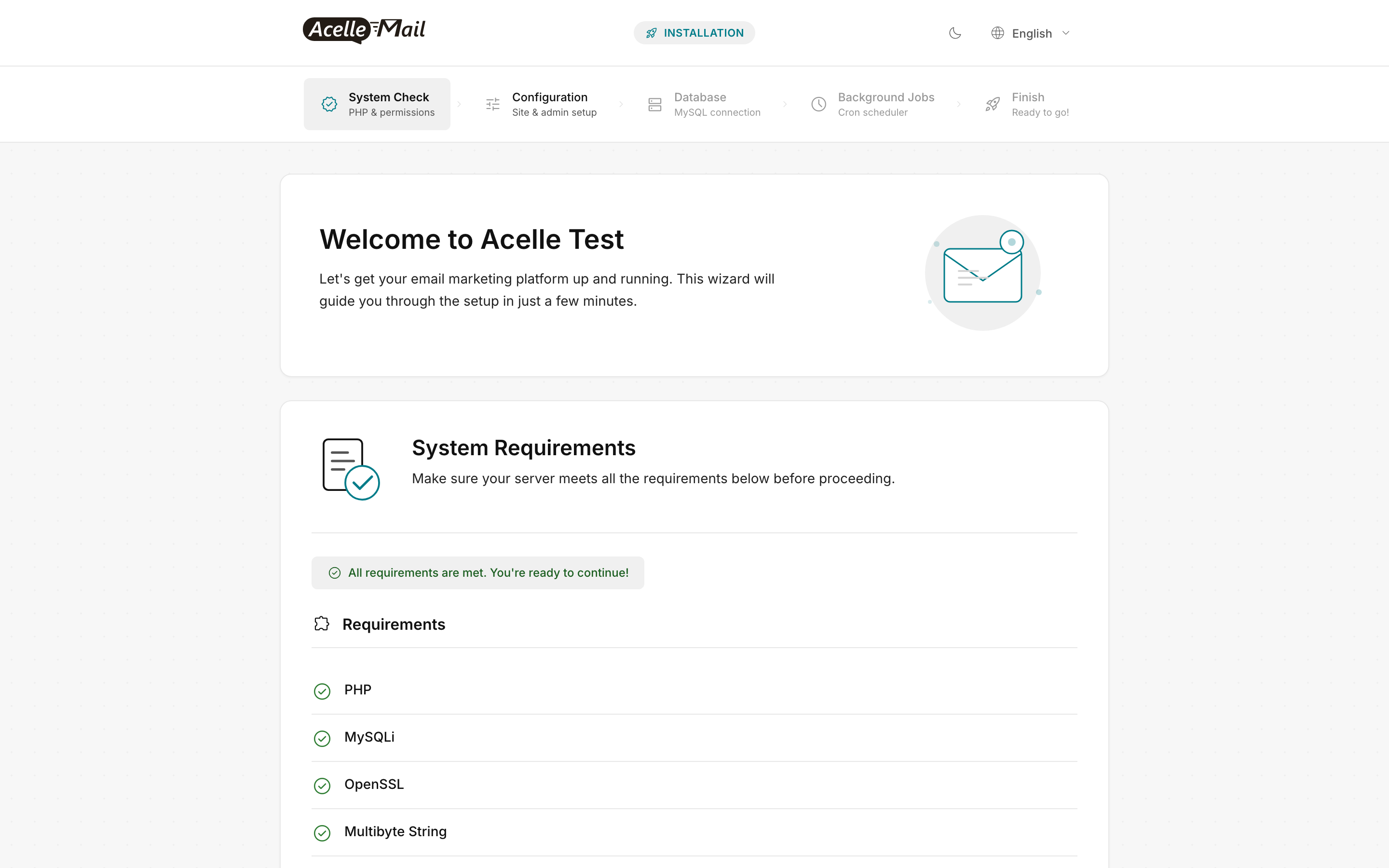
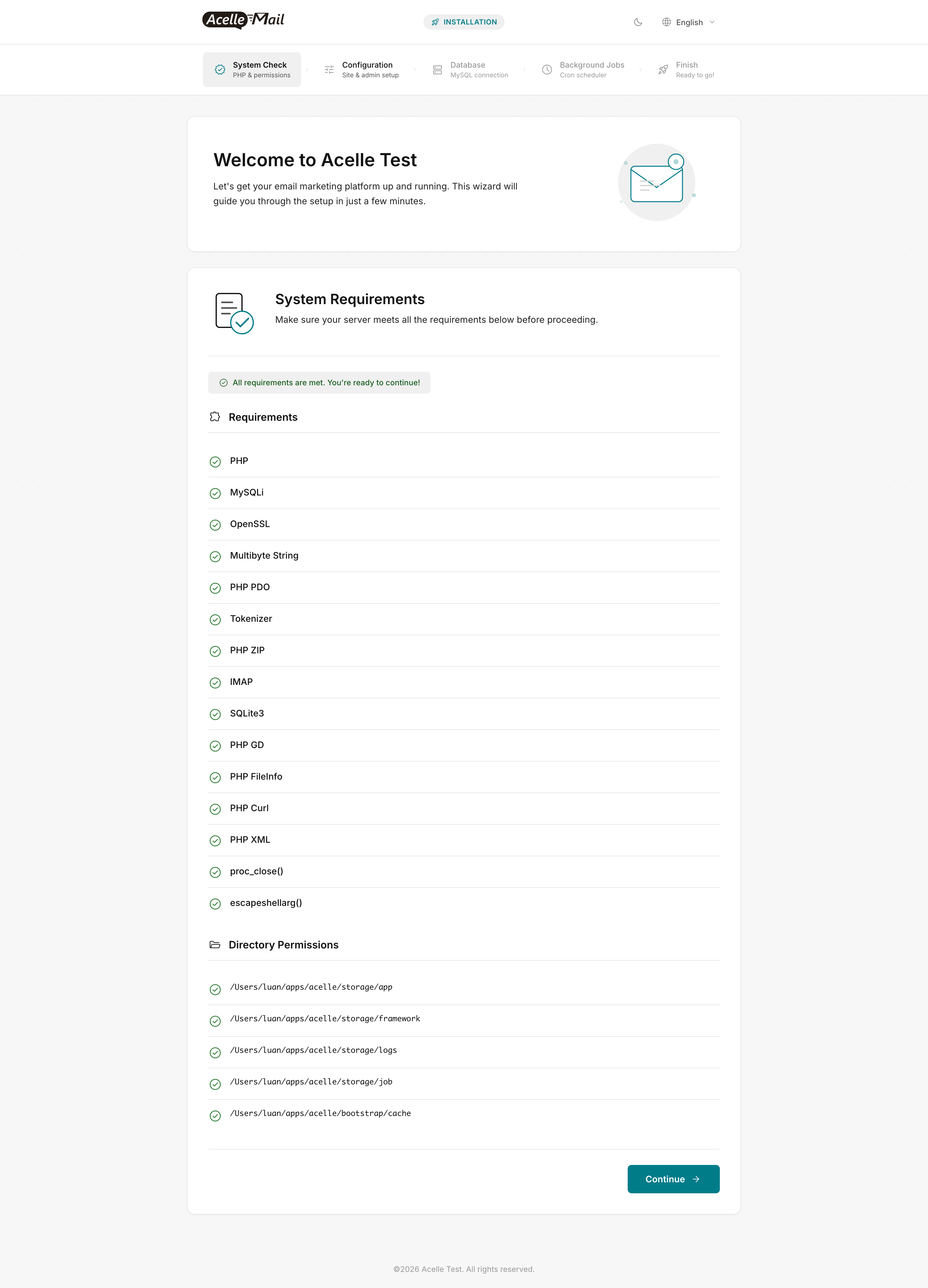
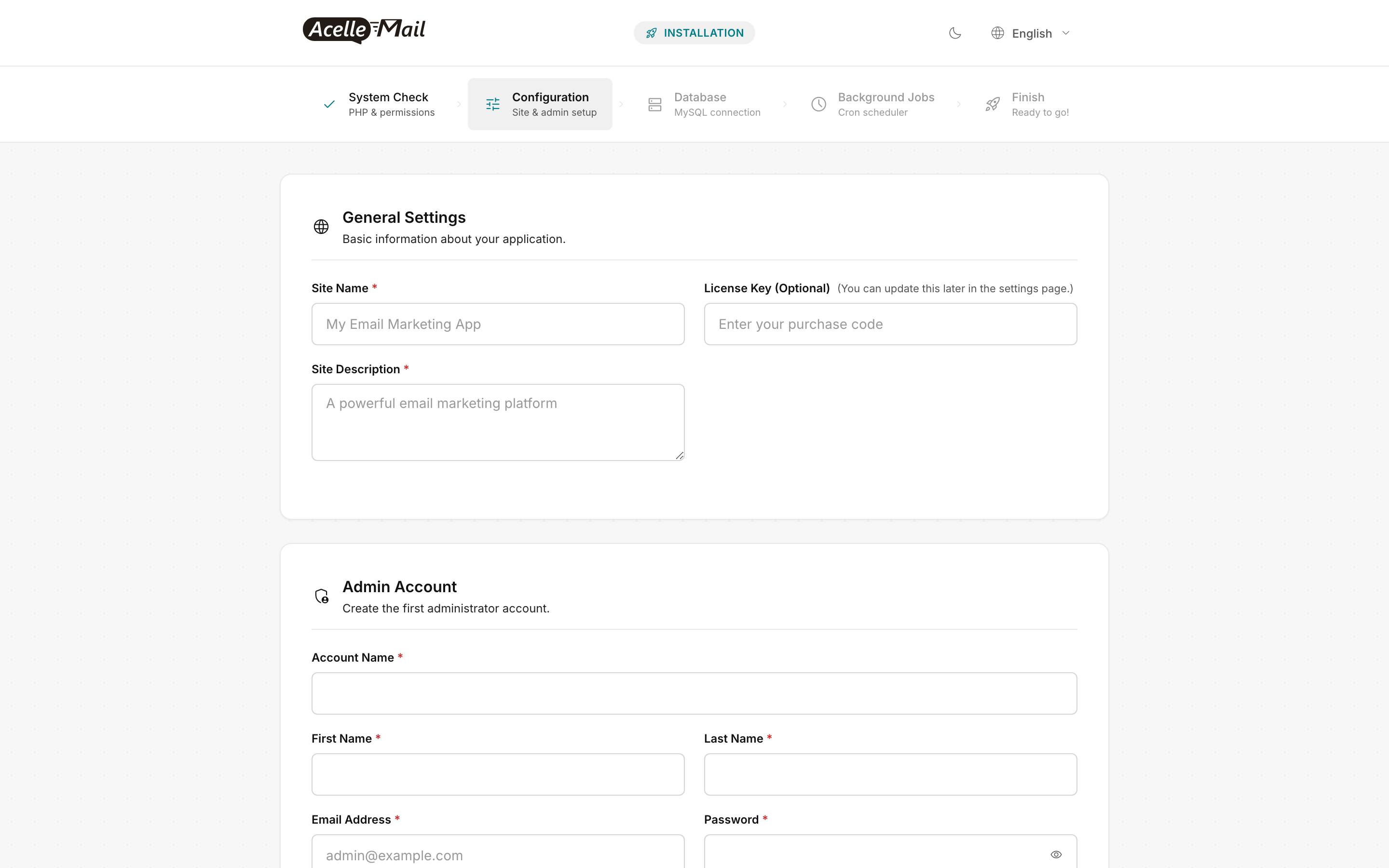
If a System Check row is red on Rocky, the fix is similar to Ubuntu but uses Remi's package names:
IMAP red → sudo dnf install -y php-imap && sudo systemctl restart php-fpm- A
storage/... permission row red → re-run the SELinux contexts from Step 6 (the semanage fcontext + restorecon block)
SELinux troubleshooting#
When something fails on Rocky and you don't see it in /var/www/acellemail/storage/logs/laravel.log, check the SELinux audit log:
sudo tail -f /var/log/audit/audit.log | grep AVC
# Or post-mortem:
sudo ausearch -m AVC -ts recent | audit2why
If audit2why recommends a boolean, set it permanently with sudo setsebool -P <boolean> 1. If it recommends a custom policy module, generate and load it:
sudo ausearch -m AVC -ts recent | audit2allow -M acellemail-local
sudo semodule -i acellemail-local.pp
Don't run setenforce 0 to "fix" things — see the FAQ.
Common issues#
| What you see |
Likely cause |
Fix |
Wizard System Check red on IMAP |
php-imap missing |
sudo dnf install -y php-imap && sudo systemctl restart php-fpm |
Wizard System Check red on a storage/ row but chown looks right |
SELinux context not applied |
Re-run Step 6 SELinux block: semanage fcontext + restorecon |
| Admin login OK, but SES test send returns "Network unreachable" |
httpd_can_network_connect not set |
sudo setsebool -P httpd_can_network_connect 1 |
mysql -u acellemail -p works but app reports "Connection refused" |
httpd_can_network_connect_db not set |
sudo setsebool -P httpd_can_network_connect_db 1 |
nginx -t fails: "open /run/php-fpm/www.sock: permission denied" |
php-fpm pool user mismatch |
Re-run Step 2's user=apache → nginx sed block; restart php-fpm |
firewall-cmd: command not found |
firewalld not installed |
sudo dnf install -y firewalld && sudo systemctl enable --now firewalld |
| Queue worker shows running but no jobs processed |
Cron pointed at wrong user |
Verify cron is on nginx, not apache: sudo crontab -u nginx -l |
| Certbot fails with "could not bind to port 80" |
firewalld blocking HTTP |
sudo firewall-cmd --permanent --add-service=http && sudo firewall-cmd --reload |
FAQ#
Can I disable SELinux instead of configuring it? You can (setenforce 0 + SELINUX=permissive in /etc/selinux/config), but you shouldn't. SELinux materially reduces blast radius if AcelleMail or one of its dependencies has a remote-code vulnerability. The configuration above is the minimum confinement that lets AcelleMail work.
What about AlmaLinux / CentOS Stream / RHEL? This guide works on all four with no command changes — same package manager, same SELinux behavior, same firewalld, same Remi support for all RHEL-9-compatible distros.
Should I use Software Collections (SCL) PHP? No. Remi's modular streams are the actively-maintained option. SCL is on the deprecation path in RHEL 10.
Why MariaDB and not MySQL? Both work; MariaDB has a clean modular install via the upstream repo. MySQL needs Oracle's repo with extra steps. AcelleMail's MySQL adapter speaks both fine — pick what your team already runs.
Migrating Rocky 8 → Rocky 9 with AcelleMail in place. Safe path: snapshot the source droplet, provision a fresh Rocky 9 droplet, run this guide, stop AcelleMail on Rocky 8 (supervisorctl stop acellemail-worker:* + crontab -r for the nginx user), mysqldump the DB and restore on Rocky 9, rsync /var/www/acellemail/storage/ to preserve user-uploaded campaign assets, update DNS, run php artisan migrate --force on the new droplet for any pending migrations. In-place upgrade (Rocky's dnf system-upgrade or LEAPP) is technically possible but risky for a multi-component PHP stack — fresh-droplet is 30 minutes more work and dramatically safer.
Automated patching with dnf-automatic. Rocky 9 ships dnf-automatic for unattended security updates:
sudo dnf -y install dnf-automatic
sudo sed -i 's/^apply_updates = .*/apply_updates = yes/' /etc/dnf/automatic.conf
sudo sed -i 's/^upgrade_type = .*/upgrade_type = security/' /etc/dnf/automatic.conf
sudo systemctl enable --now dnf-automatic.timer
Set upgrade_type = security (not default) so you only auto-apply security errata, not feature updates that could change PHP/MySQL behavior unexpectedly. Pair with the daily DB backup from the hardening checklist.
Related articles#
