What this is for#
Debian 12 ("Bookworm") is the lightest-weight production host for AcelleMail. Same Linux family tree as Ubuntu (Ubuntu is a Debian derivative), fewer pre-installed surprises, longer security support cycle (Debian 12 LTS through 2028; Freexian ELTS through 2033).
For AcelleMail specifically there are three meaningful differences from the Ubuntu 24.04 install guide:
- PHP comes from sury.org, not from Ondrej's PPA (Debian doesn't have PPAs — sury.org is the equivalent).
- MariaDB is the practical default — Debian dropped
mysql-server from main repos in Bookworm. MariaDB 11.4 LTS is wire-compatible and what we'll use.
- No
ufw out of the box — install it explicitly, or rely on the hosting provider's edge firewall (DigitalOcean Cloud Firewall, Hetzner Cloud Firewall, AWS Security Group, etc.).
Everything else is identical. We'll cover only the deltas; for the unchanged steps, follow the canonical.
👉 Canonical Ubuntu 24.04 guide: Install AcelleMail on Ubuntu 24.04 LTS
Step 0 — Pre-flight#
Identical to the Ubuntu pre-flight: a 2 vCPU / 4 GB / 50 GB Debian 12 droplet with public IPv4, a mail.example.com A record, a sudo user, your acellemail-latest.zip from CodeCanyon + purchase code.
DigitalOcean, Hetzner, Linode, and Vultr all offer Debian 12 in their image dropdowns. AWS EC2 has an official Debian 12 AMI in every region.
Step 1 — Base packages#
sudo apt update && sudo apt upgrade -y
sudo apt install -y curl wget unzip ca-certificates apt-transport-https \
    lsb-release gnupg2 software-properties-common
apt-transport-https is a Debian carryover that's no longer strictly needed (modern apt handles HTTPS natively) but is harmless and explicit. software-properties-common brings add-apt-repository — useful even though we won't use it for the sury repo below.
Step 2 — PHP 8.3 from sury.org (the key diff)#
Debian 12's main repo carries PHP 8.2 (AcelleMail's installer requires PHP 8.3 per the compat check). For the matching PHP 8.3 we use the sury.org repo, which is the de-facto upstream for Debian/Ubuntu PHP packages and what the Acelle support team tests against:
curl -fsSL https://packages.sury.org/php/apt.gpg | \
    sudo gpg --dearmor -o /usr/share/keyrings/sury-php.gpg
echo "deb [signed-by=/usr/share/keyrings/sury-php.gpg] https://packages.sury.org/php/ \
    $(lsb_release -sc) main" | sudo tee /etc/apt/sources.list.d/sury-php.list
sudo apt update
sudo apt install -y php8.3 php8.3-fpm php8.3-mysql php8.3-mbstring \
    php8.3-xml php8.3-curl php8.3-zip php8.3-gd php8.3-intl \
    php8.3-imap php8.3-gmp php8.3-sqlite3 php8.3-mailparse php8.3-bcmath \
    php8.3-redis
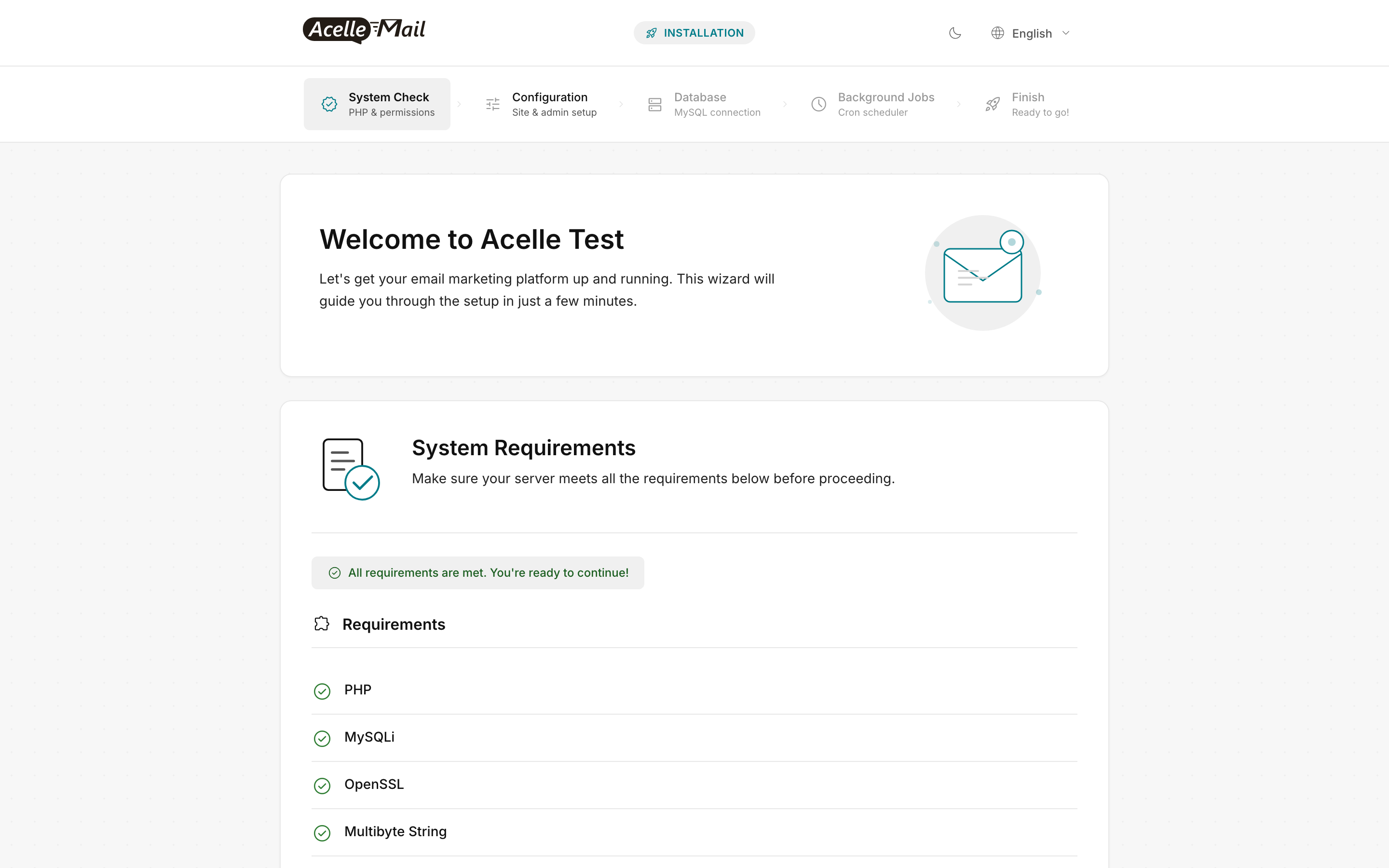
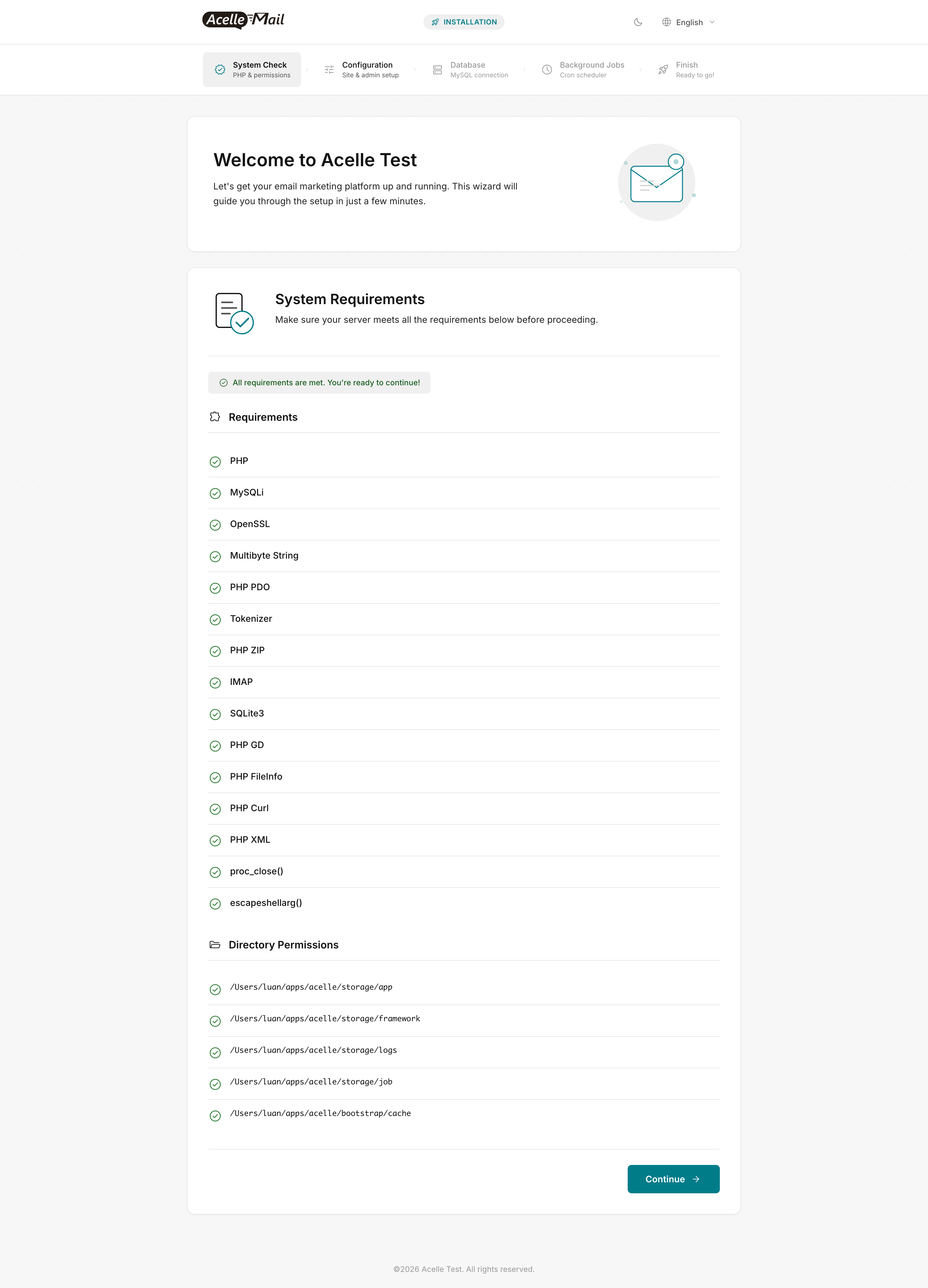
Same Wave 43 callout: php8.3-imap and php8.3-sqlite3 are both wizard-blocking and commonly forgotten — the install wizard's System Check will hard-fail without them.
Apply the AcelleMail-specific php.ini knobs (same numbers as Ubuntu — they're about workload, not OS):
sudo sed -i 's/^memory_limit = .*/memory_limit = 512M/'              /etc/php/8.3/fpm/php.ini
sudo sed -i 's/^upload_max_filesize = .*/upload_max_filesize = 300M/' /etc/php/8.3/fpm/php.ini
sudo sed -i 's/^post_max_size = .*/post_max_size = 300M/'             /etc/php/8.3/fpm/php.ini
sudo sed -i 's/^max_execution_time = .*/max_execution_time = 300/'    /etc/php/8.3/fpm/php.ini
sudo sed -i 's/^memory_limit = .*/memory_limit = 512M/'              /etc/php/8.3/cli/php.ini
sudo systemctl enable --now php8.3-fpm
Step 3 — MariaDB 11.4 LTS (Debian's MySQL replacement)#
MySQL Server 8.0 is no longer in Debian's main repos as of Bookworm — Debian preferred MariaDB. MariaDB 11.4 LTS (released May 2024, supported through May 2029) is wire-compatible with MySQL 8 for everything AcelleMail does. Debian Bookworm's main repo ships MariaDB 10.11 (also LTS — supported through Feb 2028, perfectly fine); use the MariaDB repo if you want 11.4 specifically:
# Option A — Debian Bookworm main (MariaDB 10.11 LTS, simpler)
sudo apt install -y mariadb-server mariadb-client

# Option B — MariaDB official repo (11.4 LTS, newer features)
curl -LsS https://r.mariadb.com/downloads/mariadb_repo_setup | sudo bash -s -- --mariadb-server-version=mariadb-11.4
sudo apt update
sudo apt install -y mariadb-server mariadb-client
Then:
sudo mysql_secure_installation
# Answer: no validation policy, remove anonymous users, no remote root,
#         drop test DB, reload privileges.

DB_PASSWORD="$(openssl rand -base64 24)"
sudo mysql <<SQL
CREATE DATABASE acellemail
  CHARACTER SET utf8mb4 COLLATE utf8mb4_unicode_ci;
CREATE USER 'acellemail'@'localhost' IDENTIFIED BY '${DB_PASSWORD}';
GRANT ALL PRIVILEGES ON acellemail.* TO 'acellemail'@'localhost';
FLUSH PRIVILEGES;
SQL
echo "Save this password — paste it in the install wizard's Database step:"
echo "${DB_PASSWORD}"
utf8mb4 is non-negotiable (same as Ubuntu) — Vietnamese, Chinese, and emoji subject lines crash a 3-byte utf8 charset.
If your organization mandates MySQL 8 specifically (not MariaDB), Oracle's MySQL APT repo for Debian works — see Oracle's official Debian instructions. AcelleMail's MySQL adapter speaks both fine.
Step 4 — Redis 7 (recommended)#
Bookworm ships Redis 7.0 in the main repo, no third-party repo needed:
sudo apt install -y redis-server
sudo sed -i 's/^supervised .*/supervised systemd/' /etc/redis/redis.conf
sudo systemctl restart redis-server && sudo systemctl enable redis-server
See Redis for Queue Processing for tuning.
Step 5 — Nginx + firewall#
sudo apt install -y nginx
sudo systemctl enable --now nginx
Firewall — pick one:
- Cloud edge (recommended for hosted droplets) — set the firewall rules at the provider (DigitalOcean Cloud Firewall, Hetzner Cloud Firewall, AWS Security Group). No host-level firewall needed.
ufw — sudo apt install -y ufw && sudo ufw allow OpenSSH && sudo ufw allow 'Nginx Full' && sudo ufw enablenftables (Debian 12 default if you prefer) — Bookworm replaced legacy iptables with nftables. Use sudo apt install -y nftables and write a minimal ruleset, or rely on the cloud-edge filter.
The nginx vhost is byte-for-byte identical to Ubuntu's — drop it at /etc/nginx/sites-available/acellemail:
server {
    listen 80;
    server_name mail.example.com;
    root /var/www/acellemail/public;
    index index.php index.html;
    client_max_body_size 300M;

    location / { try_files $uri $uri/ /index.php?$query_string; }
    location ~ \.php$ {
        include snippets/fastcgi-php.conf;
        fastcgi_pass unix:/run/php/php8.3-fpm.sock;
        fastcgi_param SCRIPT_FILENAME $document_root$fastcgi_script_name;
        fastcgi_read_timeout 300;
    }
    location ~ /\.(?!well-known).* { deny all; }
}
sudo ln -sf /etc/nginx/sites-available/acellemail /etc/nginx/sites-enabled/
sudo rm -f /etc/nginx/sites-enabled/default
sudo nginx -t && sudo systemctl reload nginx
Bookworm ships nginx 1.22 (Ubuntu 24.04 ships 1.24). AcelleMail uses no 1.24-only features, so this is fine.
Steps 6 through 10 — follow the Ubuntu canonical#
The remaining steps are byte-for-byte identical to Ubuntu:
The www-data user, path layout (/var/www, /etc/nginx/sites-*, /etc/php/8.3/fpm/), and command names are all identical — Ubuntu inherits all of these from Debian.
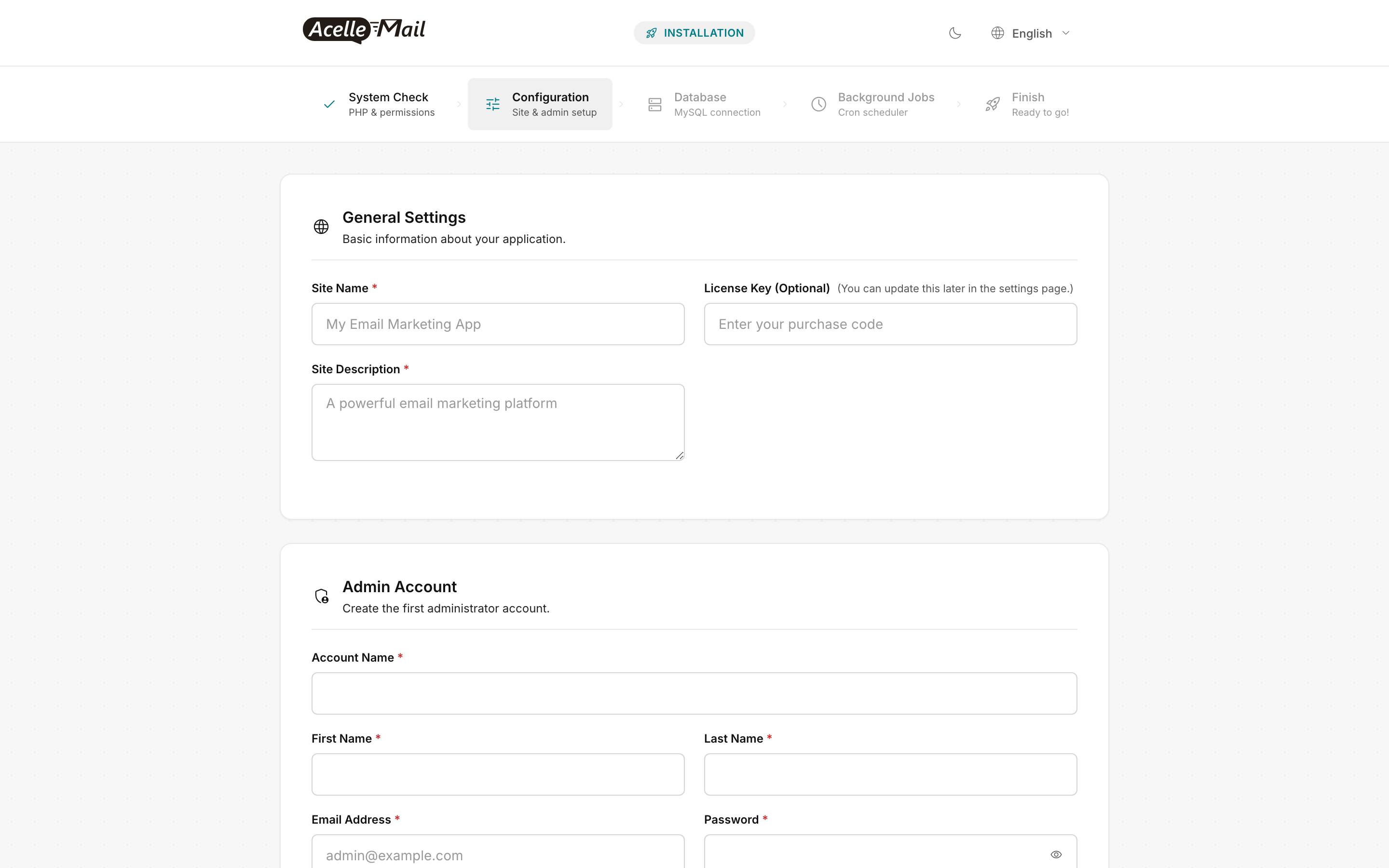
The web-installer wizard is the same regardless of host OS. Reference screenshots:
Debian-specific gotchas#
apt vs apt-get#
Both work. apt is friendlier (progress bars, sane defaults); apt-get is the stable scriptable interface. Mixing them is harmless; use apt-get if you're writing a provisioner.
nftables is the Debian 12 default, not iptables#
Bookworm replaced legacy iptables with nftables as the default packet-filter backend. The iptables command still works via a compatibility shim, but new rules should be written in nftables syntax. For most AcelleMail installs you'll skip both and use the hosting provider's edge firewall.
Postfix may be pre-installed on some images#
Bookworm itself doesn't install Postfix, but some hosting providers' "Marketplace" Debian images do. AcelleMail talks SMTP outbound via configured sending servers (SES, Mailgun, etc.) and doesn't need a local MTA. If Postfix is running on port 25, disable it:
sudo systemctl disable --now postfix
sudo ss -lntp | grep ':25 ' || echo "port 25 clear"
apparmor permissions#
Debian doesn't ship a custom AppArmor profile for AcelleMail. The default nginx + php-fpm profiles are permissive enough — no action needed.
Common issues#
| What you see |
Likely cause |
Fix |
apt install php8.3 says "Unable to locate package" |
sury.org repo not added or apt update not run |
Re-run Step 2 from the curl ... sury-php.gpg line down |
Wizard System Check red on IMAP |
php8.3-imap missing |
sudo apt install -y php8.3-imap && sudo systemctl restart php8.3-fpm, refresh |
Wizard System Check red on SQLite3 |
php8.3-sqlite3 missing |
sudo apt install -y php8.3-sqlite3 && sudo systemctl restart php8.3-fpm, refresh |
mysql_secure_installation says command not found |
MariaDB not yet installed |
Re-run sudo apt install -y mariadb-server (or check for the MariaDB repo if you went with Option B) |
certbot --nginx -d mail.example.com fails "Connection refused" |
nginx not running, or port 80 not open at the cloud edge |
sudo systemctl status nginx; verify firewall rules at the provider |
Login at /admin returns 502 |
php-fpm not running, or wrong socket path |
sudo systemctl status php8.3-fpm; check unix:/run/php/php8.3-fpm.sock in vhost matches pm.socket in /etc/php/8.3/fpm/pool.d/www.conf (default is /run/php/php8.3-fpm.sock) |
crontab -u www-data -e says "no crontab for www-data" |
First-time crontab, normal |
Just save the file with the cron line — Debian creates the crontab on first save |
FAQ#
Will Debian 11 (Bullseye) work? Bullseye's PHP is 7.4 — way below AcelleMail's minimum (PHP 8.3). You'd need sury.org for 8.3 and be running on an LTS that ends mid-2026. Just install Bookworm — same effort.
Can I use MySQL 8 instead of MariaDB? Yes, via Oracle's MySQL APT repo for Debian. Connection settings are identical. Verify utf8mb4 is the default charset before importing — some MySQL 8 installs default to utf8mb3.
Why no AppArmor profile in this guide? AcelleMail doesn't ship a custom profile; the default nginx + php-fpm profiles are permissive enough. If your org requires confinement, write a profile against the standard policies and test against /admin.
LXC/LXD vs full VM? Both work. AcelleMail has no kernel dependencies, so an unprivileged LXC container on a Debian/Proxmox host gives you ~95% of bare-metal efficiency with snapshot-based rollback. One caveat: certbot's --nginx plugin needs the container reachable on port 80 from the public internet; otherwise use the DNS challenge (certbot --dns-cloudflare or your DNS provider's plugin).
Cockpit for browser-based admin? Debian's cockpit package gives a browser-based system console at https://server:9090 — useful for sysadmin team members who don't live in SSH. Install with sudo apt install -y cockpit, restrict port 9090 to a VPN-only interface. Not a substitute for the AcelleMail admin UI; it's a sysadmin overlay.
Backports — when do I actually need them? The Debian Backports repo carries newer base packages (kernel, nginx, etc.) backported from the next Debian release. For AcelleMail you almost never need it — Bookworm's defaults are recent enough. Exception: critical CVE patches that hit Backports before Stable — sudo apt install -y -t bookworm-backports nginx.
Related articles#
